









• Skip to primary navigation
  • Skip to main content
  • Skip to primary sidebar
Unslider

Unslider

Latest Tech News and Gadget Reviews

  • Home
  • Laptops
    • Gaming Laptop
    • Chromebooks
    • 2-in-1 Laptops
  • Gaming PC
  • Knowledge Hub
  • News
keycap in grass image

5 Most Stylish Keycaps for Your Mechanical Keyboard

Stylish keycaps, for that matter, are in-demand not just because they give your keyboard a sense of personalization, but also show your artistic side.

Read More

Most Read

array(5) {
  [0]=>
  array(4) {
    ["post_id"]=>
    string(3) "153"
    ["post_title"]=>
    string(0) ""
    ["post_permalink"]=>
    string(21) "https://unslider.com/"
    ["views"]=>
    string(2) "38"
  }
  [1]=>
  array(4) {
    ["post_id"]=>
    string(1) "0"
    ["post_title"]=>
    string(9) "Home page"
    ["post_permalink"]=>
    string(21) "https://unslider.com/"
    ["views"]=>
    string(2) "13"
  }
  [2]=>
  array(4) {
    ["post_id"]=>
    string(5) "12907"
    ["post_title"]=>
    string(51) "Cyberpunk 2077 Graphics Settings Optimization Guide"
    ["post_permalink"]=>
    string(72) "https://unslider.com/cyberpunk-2077-graphics-settings-optimization-guide"
    ["views"]=>
    string(1) "5"
  }
  [3]=>
  array(4) {
    ["post_id"]=>
    string(5) "11612"
    ["post_title"]=>
    string(30) "5 Best Mini-LED Monitor Models"
    ["post_permalink"]=>
    string(64) "https://unslider.com/buying-guide/5-best-mini-led-monitor-models"
    ["views"]=>
    string(1) "3"
  }
  [4]=>
  array(4) {
    ["post_id"]=>
    string(4) "7069"
    ["post_title"]=>
    string(39) "Best Gaming Laptops Under $1500 in 2023"
    ["post_permalink"]=>
    string(64) "https://unslider.com/buying-guide/best-gaming-laptops-under-1500"
    ["views"]=>
    string(1) "2"
  }
}
object(WP_Post)#6284 (24) {
  ["ID"]=>
  int(153)
  ["post_author"]=>
  string(1) "1"
  ["post_date"]=>
  string(19) "2020-09-07 14:22:04"
  ["post_date_gmt"]=>
  string(19) "2020-09-07 14:22:04"
  ["post_content"]=>
  string(18433) "[tcb_post_list query="{'filter':'custom','related':|{||}|,'post_type':'post','orderby':'date','order':'DESC','posts_per_page':'1','offset':'1','no_posts_text':'There are no posts to display.','exclude_current_post':|{|'1'|}|,'rules':|{||}|}" type="list" columns-d="1" columns-t="1" columns-m="1" vertical-space-d="50" horizontal-space-d="20" ct="post_list-44469" ct-name="Image & text 19" tcb-elem-type="post_list" pagination-type="none" pages_near_current="2" element-name="Post List" css="tve-u-17f375e6d2f" vertical-space-m="40" total_post_count="136" total_sticky_count="0" posts_per_page="1" featured-content="0" no_posts_text="" featured-list="tve-u-17f375fe7b5"  class='' ][tcb_post_list_dynamic_style]@media (min-width: 300px){[].tcb-post-list #post-[tcb_the_id] []{background-image: url("[tcb_featured_image_url size=large]") !important;}[].tcb-post-list #post-[tcb_the_id] []:hover []{background-image: linear-gradient(rgba(0, 143, 255, 0.1), rgba(0, 143, 255, 0.1)), url("[tcb_featured_image_url size=large]") !important;}[].tcb-post-list #post-[tcb_the_id] []{background-image: linear-gradient(rgba(0, 0, 0, 0.5), rgba(0, 0, 0, 0.5)), url("[tcb_featured_image_url size=medium]") !important;}[].tcb-post-list #post-[tcb_the_id] []:hover []{background-image: linear-gradient(rgba(0, 0, 0, 0.4), rgba(0, 0, 0, 0.4)), url("[tcb_featured_image_url size=large]") !important;}[].tcb-post-list #post-[tcb_the_id] []{background-image: url("[tcb_featured_image_url size=large]") !important;}[].tcb-post-list #post-[tcb_the_id] []{background-image: linear-gradient(rgba(255, 255, 255, 0.2), rgba(255, 255, 255, 0.2)), url("[tcb_featured_image_url size=full]") !important;}}[/tcb_post_list_dynamic_style][/tcb_post_list][tcb_post_list query="{'paged':1,'filter':'custom','post_type':|{|'post'|}|,'related':|{||}|,'orderby':'date','order':'DESC','posts_per_page':'1','offset':'1','no_posts_text':'There are no posts to display.','exclude_current_post':|{||}|,'queried_object':{'ID':153,'post_author':'1','post_type':'page'},'sticky':|{||}|,'rules':|{||}|}" type="list" columns-d="1" columns-t="1" columns-m="1" vertical-space-d="30" horizontal-space-d="30" ct="post_list_featured-54251" ct-name="Featured List 01" tcb-elem-type="post_list" pagination-type="none" pages_near_current="2" element-name="Featured Content List" css="tve-u-17f8653aeba" no_posts_text="" total_post_count="136" total_sticky_count="0" posts_per_page="1" featured-content="0"  class='tcb-featured-list tve-draggable  tve-droppable' ][tcb_post_list_dynamic_style]@media (min-width: 300px){[].tcb-post-list #post-[tcb_the_id] []{background-image: url("[tcb_featured_image_url size=large]") !important;}[].tcb-post-list #post-[tcb_the_id] []:hover []{background-image: linear-gradient(rgba(0, 143, 255, 0.1), rgba(0, 143, 255, 0.1)), url("[tcb_featured_image_url size=large]") !important;}[].tcb-post-list #post-[tcb_the_id] []{background-image: linear-gradient(rgba(0, 0, 0, 0.5), rgba(0, 0, 0, 0.5)), url("[tcb_featured_image_url size=medium]") !important;}[].tcb-post-list #post-[tcb_the_id] []:hover []{background-image: linear-gradient(rgba(0, 0, 0, 0.4), rgba(0, 0, 0, 0.4)), url("[tcb_featured_image_url size=large]") !important;}[].tcb-post-list #post-[tcb_the_id] []{background-image: url("[tcb_featured_image_url size=large]") !important;}[].tcb-post-list #post-[tcb_the_id] []{background-image: linear-gradient(rgba(255, 255, 255, 0.2), rgba(255, 255, 255, 0.2)), url("[tcb_featured_image_url size=full]") !important;}}[/tcb_post_list_dynamic_style][tcb_post_categories link='1'][tcb_post_published_date type='published' tag='span' link='none' css='tve-u-17f8653aec6' date-format='F j, Y' time-format='g:i a' date='March 13, 2022 8:28 pm'][tcb_post_title css='tve-u-17f8653aec7'][tcb_post_content size='excerpt' read_more='' words='12' css='tve-u-17f8653aec8']                    View More[/tcb_post_list][tcb_post_list query="{'paged':1,'filter':'custom','post_type':|{|'post'|}|,'related':|{||}|,'orderby':'date','order':'DESC','posts_per_page':'4','offset':'1','no_posts_text':'There are no posts to display.','exclude_current_post':|{||}|,'queried_object':{'ID':153,'post_author':'1','post_type':'page'},'sticky':|{||}|,'rules':|{||}|}" type="grid" columns-d="2" columns-t="2" columns-m="1" vertical-space-d="20" horizontal-space-d="20" ct="post_list-43456" ct-name="Image & Text 08" tcb-elem-type="post_list" pagination-type="none" pages_near_current="2" css="tve-u-17f864cf5a2" article-tcb_hover_state_parent="" element-name="Post List" total_post_count="135" total_sticky_count="0" posts_per_page="4" featured-content="1" disabled-links="1" no_posts_text="" vertical-space-m="15" horizontal-space-m="0" horizontal-space-t="15" vertical-space-t="15" featured-list="tve-u-17f8653aeba"  class='' article-tcb_hover_state_parent='' ][tcb_post_list_dynamic_style]@media (min-width: 300px){[].tcb-post-list #post-[tcb_the_id] []{background-image: url("[tcb_featured_image_url size=large]") !important;}[].tcb-post-list #post-[tcb_the_id] []:hover []{background-image: linear-gradient(rgba(0, 143, 255, 0.1), rgba(0, 143, 255, 0.1)), url("[tcb_featured_image_url size=large]") !important;}[].tcb-post-list #post-[tcb_the_id] []{background-image: linear-gradient(rgba(0, 0, 0, 0.5), rgba(0, 0, 0, 0.5)), url("[tcb_featured_image_url size=medium]") !important;}[].tcb-post-list #post-[tcb_the_id] []:hover []{background-image: linear-gradient(rgba(0, 0, 0, 0.4), rgba(0, 0, 0, 0.4)), url("[tcb_featured_image_url size=large]") !important;}[].tcb-post-list #post-[tcb_the_id] []{background-image: url("[tcb_featured_image_url size=large]") !important;}[].tcb-post-list #post-[tcb_the_id] []{background-image: linear-gradient(rgba(255, 255, 255, 0.2), rgba(255, 255, 255, 0.2)), url("[tcb_featured_image_url size=full]") !important;}}[/tcb_post_list_dynamic_style]

[tcb_post_categories link='1' target='0' rel='0' inline='1' static-link='{"className":"tve-froala fr-basic","href":"https://unslider.com/gaming-laptop/","title":"Gaming Laptop","class":"tve-froala fr-basic"}' css='']

[tcb_post_title link='1' target='0' rel='0' inline='1' static-link='{"className":"tve-froala fr-basic","href":"https://unslider.com/best-gaming-laptops-under-1000/","title":"Best Gaming Laptops under $1,000 in 2022","class":"tve-froala fr-basic"}' css='']

[tcb_post_content size='words' read_more='' words='22' css='tve-u-17f864cf5b0']Read More[/tcb_post_list]

Latest Tech News

[tcb_post_list query="{'paged':1,'filter':'custom','post_type':|{|'post'|}|,'related':|{||}|,'orderby':'date','order':'DESC','posts_per_page':'9','offset':'1','no_posts_text':'There are no posts to display.','exclude_current_post':|{||}|,'queried_object':{'ID':153,'post_author':'1','post_type':'page'},'sticky':|{||}|,'rules':|{|{'taxonomy':'category','terms':|{|'15'|}|,'operator':'IN'}|}|}" type="grid" columns-d="3" columns-t="2" columns-m="1" vertical-space-d="30" horizontal-space-d="30" ct="post_list-43425" ct-name="Text Only 04" tcb-elem-type="post_list" pagination-type="none" pages_near_current="2" css="tve-u-17bef186403" horizontal-space-t="20" vertical-space-t="20" horizontal-space-m="0" article-tcb_hover_state_parent="" element-name="Post List" total_post_count="9" total_sticky_count="0" posts_per_page="9" featured-content="0" disabled-links="1" no_posts_text="" class='' article-tcb_hover_state_parent='' ][tcb_post_list_dynamic_style]@media (min-width: 300px){[].tcb-post-list #post-[tcb_the_id] []{background-image: url("[tcb_featured_image_url size=large]") !important;}[].tcb-post-list #post-[tcb_the_id] []:hover []{background-image: linear-gradient(rgba(0, 143, 255, 0.1), rgba(0, 143, 255, 0.1)), url("[tcb_featured_image_url size=large]") !important;}[].tcb-post-list #post-[tcb_the_id] []{background-image: linear-gradient(rgba(0, 0, 0, 0.5), rgba(0, 0, 0, 0.5)), url("[tcb_featured_image_url size=medium]") !important;}[].tcb-post-list #post-[tcb_the_id] []:hover []{background-image: linear-gradient(rgba(0, 0, 0, 0.4), rgba(0, 0, 0, 0.4)), url("[tcb_featured_image_url size=large]") !important;}[].tcb-post-list #post-[tcb_the_id] []{background-image: url("[tcb_featured_image_url size=large]") !important;}[].tcb-post-list #post-[tcb_the_id] []{background-image: linear-gradient(rgba(255, 255, 255, 0.2), rgba(255, 255, 255, 0.2)), url("[tcb_featured_image_url size=full]") !important;}}[/tcb_post_list_dynamic_style]

[tcb_post_title link='1' target='0' rel='0' inline='1' static-link='{"className":"tve-froala fr-basic","href":"https://unslider.com/lenovo-tab12-pro/","title":"How does the Lenovo Tab12 Pro change the Odds for Tablet-PCs?","class":"tve-froala fr-basic"}' css='']

Read Now[/tcb_post_list][tcb_post_list query="{'paged':1,'filter':'custom','post_type':|{|'post'|}|,'related':|{||}|,'orderby':'date','order':'DESC','posts_per_page':'1','offset':'1','no_posts_text':'There are no posts to display.','exclude_current_post':|{||}|,'queried_object':{'ID':153,'post_author':'1','post_type':'page'},'sticky':|{||}|,'rules':|{|{'taxonomy':'post','terms':|{|'250'|}|,'operator':'IN'}|}|}" type="list" columns-d="1" columns-t="1" columns-m="1" vertical-space-d="30" horizontal-space-d="30" ct="post_list-44441" ct-name="Image and text 16" tcb-elem-type="post_list" pagination-type="none" pages_near_current="2" element-name="Post List" css="tve-u-17892b3790a" article-tcb_hover_state_parent="" total_post_count="1" total_sticky_count="0" posts_per_page="1" featured-content="0" no_posts_text="" class='' article-tcb_hover_state_parent='' ][tcb_post_list_dynamic_style]@media (min-width: 300px){[].tcb-post-list #post-[tcb_the_id] []{background-image: url("[tcb_featured_image_url size=large]") !important;}[].tcb-post-list #post-[tcb_the_id] []:hover []{background-image: linear-gradient(rgba(0, 143, 255, 0.1), rgba(0, 143, 255, 0.1)), url("[tcb_featured_image_url size=large]") !important;}[].tcb-post-list #post-[tcb_the_id] []{background-image: linear-gradient(rgba(0, 0, 0, 0.5), rgba(0, 0, 0, 0.5)), url("[tcb_featured_image_url size=medium]") !important;}[].tcb-post-list #post-[tcb_the_id] []:hover []{background-image: linear-gradient(rgba(0, 0, 0, 0.4), rgba(0, 0, 0, 0.4)), url("[tcb_featured_image_url size=large]") !important;}[].tcb-post-list #post-[tcb_the_id] []{background-image: url("[tcb_featured_image_url size=large]") !important;}[].tcb-post-list #post-[tcb_the_id] []{background-image: linear-gradient(rgba(255, 255, 255, 0.2), rgba(255, 255, 255, 0.2)), url("[tcb_featured_image_url size=full]") !important;}}[/tcb_post_list_dynamic_style]

[tcb_post_categories link='1' rel='0' target='0' inline='1' static-link='{"className":"tve-froala fr-basic","href":"https://unslider.com/laptops/","title":"Laptops","data-css":"tve-u-17892b37915","class":"tve-froala fr-basic"}' css='tve-u-17892b37915' link-css-attr="tve-u-17892b37915"]

[tcb_post_published_date css='' date-format='F j, Y' date-format-select='F j, Y' link='1' rel='0' show-time='0' target='0' time-format='' time-format-select='g:i a' type='published' inline='1' static-link='{"className":"tve-froala","href":"https://unslider.com/2020/09/","title":"September 9, 2020 ","class":"tve-froala"}']

[tcb_post_title link='1' rel='0' target='0' inline='1' css='' static-link='{"className":"tve-froala","href":"https://unslider.com/laptop-buying-guides/","title":"Laptop Buying Guide: Read, Analyze, and Buy In 2022","class":"tve-froala"}']

[tcb_post_content size='words' read_more='' words='12' css='tve-u-17892b3791e'][/tcb_post_list]

BEST LAPTOPS

[tcb_post_list query="{'paged':1,'filter':'custom','post_type':|{|'post'|}|,'related':|{||}|,'orderby':'date','order':'DESC','posts_per_page':'6','offset':'1','no_posts_text':'There are no posts to display.','exclude_current_post':|{||}|,'queried_object':{'ID':153,'post_author':'1','post_type':'page'},'sticky':|{||}|,'rules':|{|{'taxonomy':'post','terms':|{|'219','1102','606','587','560','517','1211'|}|,'operator':'IN'}|}|}" type="grid" columns-d="3" columns-t="2" columns-m="1" vertical-space-d="45" horizontal-space-d="45" ct="post_list-43428" ct-name="Image & Text 02" tcb-elem-type="post_list" pagination-type="none" pages_near_current="2" element-name="Post List" css="tve-u-17892b5dc4d" vertical-space-m="20" total_post_count="7" total_sticky_count="0" posts_per_page="6" featured-content="0" disabled-links="0" article-tcb_hover_state_parent="" no_posts_text="" class='' article-tcb_hover_state_parent='' article-class='tve_evt_manager_listen tve_ea_thrive_animation tve_et_mouseover tve_anim_grow' ][tcb_post_list_dynamic_style]@media (min-width: 300px){[].tcb-post-list #post-[tcb_the_id] []{background-image: url("[tcb_featured_image_url size=large]") !important;}[].tcb-post-list #post-[tcb_the_id] []:hover []{background-image: linear-gradient(rgba(0, 143, 255, 0.1), rgba(0, 143, 255, 0.1)), url("[tcb_featured_image_url size=large]") !important;}[].tcb-post-list #post-[tcb_the_id] []{background-image: linear-gradient(rgba(0, 0, 0, 0.5), rgba(0, 0, 0, 0.5)), url("[tcb_featured_image_url size=medium]") !important;}[].tcb-post-list #post-[tcb_the_id] []:hover []{background-image: linear-gradient(rgba(0, 0, 0, 0.4), rgba(0, 0, 0, 0.4)), url("[tcb_featured_image_url size=large]") !important;}[].tcb-post-list #post-[tcb_the_id] []{background-image: url("[tcb_featured_image_url size=large]") !important;}[].tcb-post-list #post-[tcb_the_id] []{background-image: linear-gradient(rgba(255, 255, 255, 0.2), rgba(255, 255, 255, 0.2)), url("[tcb_featured_image_url size=full]") !important;}}[/tcb_post_list_dynamic_style]

[tcb_post_title css='' link='1' rel='0' target='0' inline='1' static-link='{"className":"tve-froala fr-basic tcb-local-vars-root","href":"https://unslider.com/best-laptops-under-300/","title":"Best Laptops under $300 In 2022: Comparison & Reviews","class":"tve-froala fr-basic tcb-local-vars-root"}']

Read More[/tcb_post_list]

Like theFacebook Page

Our supportive online community is the best place to connect with others just like you.

" ["post_title"]=> string(0) "" ["post_excerpt"]=> string(0) "" ["post_status"]=> string(7) "publish" ["comment_status"]=> string(6) "closed" ["ping_status"]=> string(6) "closed" ["post_password"]=> string(0) "" ["post_name"]=> string(8) "homepage" ["to_ping"]=> string(0) "" ["pinged"]=> string(0) "" ["post_modified"]=> string(19) "2022-03-15 08:33:19" ["post_modified_gmt"]=> string(19) "2022-03-15 12:33:19" ["post_content_filtered"]=> string(0) "" ["post_parent"]=> int(0) ["guid"]=> string(42) "https://unslider.wpengine.com/?page_id=153" ["menu_order"]=> int(0) ["post_type"]=> string(4) "page" ["post_mime_type"]=> string(10) "image/jpeg" ["comment_count"]=> string(1) "0" ["filter"]=> string(3) "raw" }
object(WP_Post)#6038 (24) {
  ["ID"]=>
  int(153)
  ["post_author"]=>
  string(1) "1"
  ["post_date"]=>
  string(19) "2020-09-07 14:22:04"
  ["post_date_gmt"]=>
  string(19) "2020-09-07 14:22:04"
  ["post_content"]=>
  string(18433) "[tcb_post_list query="{'filter':'custom','related':|{||}|,'post_type':'post','orderby':'date','order':'DESC','posts_per_page':'1','offset':'1','no_posts_text':'There are no posts to display.','exclude_current_post':|{|'1'|}|,'rules':|{||}|}" type="list" columns-d="1" columns-t="1" columns-m="1" vertical-space-d="50" horizontal-space-d="20" ct="post_list-44469" ct-name="Image & text 19" tcb-elem-type="post_list" pagination-type="none" pages_near_current="2" element-name="Post List" css="tve-u-17f375e6d2f" vertical-space-m="40" total_post_count="136" total_sticky_count="0" posts_per_page="1" featured-content="0" no_posts_text="" featured-list="tve-u-17f375fe7b5"  class='' ][tcb_post_list_dynamic_style]@media (min-width: 300px){[].tcb-post-list #post-[tcb_the_id] []{background-image: url("[tcb_featured_image_url size=large]") !important;}[].tcb-post-list #post-[tcb_the_id] []:hover []{background-image: linear-gradient(rgba(0, 143, 255, 0.1), rgba(0, 143, 255, 0.1)), url("[tcb_featured_image_url size=large]") !important;}[].tcb-post-list #post-[tcb_the_id] []{background-image: linear-gradient(rgba(0, 0, 0, 0.5), rgba(0, 0, 0, 0.5)), url("[tcb_featured_image_url size=medium]") !important;}[].tcb-post-list #post-[tcb_the_id] []:hover []{background-image: linear-gradient(rgba(0, 0, 0, 0.4), rgba(0, 0, 0, 0.4)), url("[tcb_featured_image_url size=large]") !important;}[].tcb-post-list #post-[tcb_the_id] []{background-image: url("[tcb_featured_image_url size=large]") !important;}[].tcb-post-list #post-[tcb_the_id] []{background-image: linear-gradient(rgba(255, 255, 255, 0.2), rgba(255, 255, 255, 0.2)), url("[tcb_featured_image_url size=full]") !important;}}[/tcb_post_list_dynamic_style][/tcb_post_list][tcb_post_list query="{'paged':1,'filter':'custom','post_type':|{|'post'|}|,'related':|{||}|,'orderby':'date','order':'DESC','posts_per_page':'1','offset':'1','no_posts_text':'There are no posts to display.','exclude_current_post':|{||}|,'queried_object':{'ID':153,'post_author':'1','post_type':'page'},'sticky':|{||}|,'rules':|{||}|}" type="list" columns-d="1" columns-t="1" columns-m="1" vertical-space-d="30" horizontal-space-d="30" ct="post_list_featured-54251" ct-name="Featured List 01" tcb-elem-type="post_list" pagination-type="none" pages_near_current="2" element-name="Featured Content List" css="tve-u-17f8653aeba" no_posts_text="" total_post_count="136" total_sticky_count="0" posts_per_page="1" featured-content="0"  class='tcb-featured-list tve-draggable  tve-droppable' ][tcb_post_list_dynamic_style]@media (min-width: 300px){[].tcb-post-list #post-[tcb_the_id] []{background-image: url("[tcb_featured_image_url size=large]") !important;}[].tcb-post-list #post-[tcb_the_id] []:hover []{background-image: linear-gradient(rgba(0, 143, 255, 0.1), rgba(0, 143, 255, 0.1)), url("[tcb_featured_image_url size=large]") !important;}[].tcb-post-list #post-[tcb_the_id] []{background-image: linear-gradient(rgba(0, 0, 0, 0.5), rgba(0, 0, 0, 0.5)), url("[tcb_featured_image_url size=medium]") !important;}[].tcb-post-list #post-[tcb_the_id] []:hover []{background-image: linear-gradient(rgba(0, 0, 0, 0.4), rgba(0, 0, 0, 0.4)), url("[tcb_featured_image_url size=large]") !important;}[].tcb-post-list #post-[tcb_the_id] []{background-image: url("[tcb_featured_image_url size=large]") !important;}[].tcb-post-list #post-[tcb_the_id] []{background-image: linear-gradient(rgba(255, 255, 255, 0.2), rgba(255, 255, 255, 0.2)), url("[tcb_featured_image_url size=full]") !important;}}[/tcb_post_list_dynamic_style][tcb_post_categories link='1'][tcb_post_published_date type='published' tag='span' link='none' css='tve-u-17f8653aec6' date-format='F j, Y' time-format='g:i a' date='March 13, 2022 8:28 pm'][tcb_post_title css='tve-u-17f8653aec7'][tcb_post_content size='excerpt' read_more='' words='12' css='tve-u-17f8653aec8']                    View More[/tcb_post_list][tcb_post_list query="{'paged':1,'filter':'custom','post_type':|{|'post'|}|,'related':|{||}|,'orderby':'date','order':'DESC','posts_per_page':'4','offset':'1','no_posts_text':'There are no posts to display.','exclude_current_post':|{||}|,'queried_object':{'ID':153,'post_author':'1','post_type':'page'},'sticky':|{||}|,'rules':|{||}|}" type="grid" columns-d="2" columns-t="2" columns-m="1" vertical-space-d="20" horizontal-space-d="20" ct="post_list-43456" ct-name="Image & Text 08" tcb-elem-type="post_list" pagination-type="none" pages_near_current="2" css="tve-u-17f864cf5a2" article-tcb_hover_state_parent="" element-name="Post List" total_post_count="135" total_sticky_count="0" posts_per_page="4" featured-content="1" disabled-links="1" no_posts_text="" vertical-space-m="15" horizontal-space-m="0" horizontal-space-t="15" vertical-space-t="15" featured-list="tve-u-17f8653aeba"  class='' article-tcb_hover_state_parent='' ][tcb_post_list_dynamic_style]@media (min-width: 300px){[].tcb-post-list #post-[tcb_the_id] []{background-image: url("[tcb_featured_image_url size=large]") !important;}[].tcb-post-list #post-[tcb_the_id] []:hover []{background-image: linear-gradient(rgba(0, 143, 255, 0.1), rgba(0, 143, 255, 0.1)), url("[tcb_featured_image_url size=large]") !important;}[].tcb-post-list #post-[tcb_the_id] []{background-image: linear-gradient(rgba(0, 0, 0, 0.5), rgba(0, 0, 0, 0.5)), url("[tcb_featured_image_url size=medium]") !important;}[].tcb-post-list #post-[tcb_the_id] []:hover []{background-image: linear-gradient(rgba(0, 0, 0, 0.4), rgba(0, 0, 0, 0.4)), url("[tcb_featured_image_url size=large]") !important;}[].tcb-post-list #post-[tcb_the_id] []{background-image: url("[tcb_featured_image_url size=large]") !important;}[].tcb-post-list #post-[tcb_the_id] []{background-image: linear-gradient(rgba(255, 255, 255, 0.2), rgba(255, 255, 255, 0.2)), url("[tcb_featured_image_url size=full]") !important;}}[/tcb_post_list_dynamic_style]

[tcb_post_categories link='1' target='0' rel='0' inline='1' static-link='{"className":"tve-froala fr-basic","href":"https://unslider.com/gaming-laptop/","title":"Gaming Laptop","class":"tve-froala fr-basic"}' css='']

[tcb_post_title link='1' target='0' rel='0' inline='1' static-link='{"className":"tve-froala fr-basic","href":"https://unslider.com/best-gaming-laptops-under-1000/","title":"Best Gaming Laptops under $1,000 in 2022","class":"tve-froala fr-basic"}' css='']

[tcb_post_content size='words' read_more='' words='22' css='tve-u-17f864cf5b0']Read More[/tcb_post_list]

Latest Tech News

[tcb_post_list query="{'paged':1,'filter':'custom','post_type':|{|'post'|}|,'related':|{||}|,'orderby':'date','order':'DESC','posts_per_page':'9','offset':'1','no_posts_text':'There are no posts to display.','exclude_current_post':|{||}|,'queried_object':{'ID':153,'post_author':'1','post_type':'page'},'sticky':|{||}|,'rules':|{|{'taxonomy':'category','terms':|{|'15'|}|,'operator':'IN'}|}|}" type="grid" columns-d="3" columns-t="2" columns-m="1" vertical-space-d="30" horizontal-space-d="30" ct="post_list-43425" ct-name="Text Only 04" tcb-elem-type="post_list" pagination-type="none" pages_near_current="2" css="tve-u-17bef186403" horizontal-space-t="20" vertical-space-t="20" horizontal-space-m="0" article-tcb_hover_state_parent="" element-name="Post List" total_post_count="9" total_sticky_count="0" posts_per_page="9" featured-content="0" disabled-links="1" no_posts_text="" class='' article-tcb_hover_state_parent='' ][tcb_post_list_dynamic_style]@media (min-width: 300px){[].tcb-post-list #post-[tcb_the_id] []{background-image: url("[tcb_featured_image_url size=large]") !important;}[].tcb-post-list #post-[tcb_the_id] []:hover []{background-image: linear-gradient(rgba(0, 143, 255, 0.1), rgba(0, 143, 255, 0.1)), url("[tcb_featured_image_url size=large]") !important;}[].tcb-post-list #post-[tcb_the_id] []{background-image: linear-gradient(rgba(0, 0, 0, 0.5), rgba(0, 0, 0, 0.5)), url("[tcb_featured_image_url size=medium]") !important;}[].tcb-post-list #post-[tcb_the_id] []:hover []{background-image: linear-gradient(rgba(0, 0, 0, 0.4), rgba(0, 0, 0, 0.4)), url("[tcb_featured_image_url size=large]") !important;}[].tcb-post-list #post-[tcb_the_id] []{background-image: url("[tcb_featured_image_url size=large]") !important;}[].tcb-post-list #post-[tcb_the_id] []{background-image: linear-gradient(rgba(255, 255, 255, 0.2), rgba(255, 255, 255, 0.2)), url("[tcb_featured_image_url size=full]") !important;}}[/tcb_post_list_dynamic_style]

[tcb_post_title link='1' target='0' rel='0' inline='1' static-link='{"className":"tve-froala fr-basic","href":"https://unslider.com/lenovo-tab12-pro/","title":"How does the Lenovo Tab12 Pro change the Odds for Tablet-PCs?","class":"tve-froala fr-basic"}' css='']

Read Now[/tcb_post_list][tcb_post_list query="{'paged':1,'filter':'custom','post_type':|{|'post'|}|,'related':|{||}|,'orderby':'date','order':'DESC','posts_per_page':'1','offset':'1','no_posts_text':'There are no posts to display.','exclude_current_post':|{||}|,'queried_object':{'ID':153,'post_author':'1','post_type':'page'},'sticky':|{||}|,'rules':|{|{'taxonomy':'post','terms':|{|'250'|}|,'operator':'IN'}|}|}" type="list" columns-d="1" columns-t="1" columns-m="1" vertical-space-d="30" horizontal-space-d="30" ct="post_list-44441" ct-name="Image and text 16" tcb-elem-type="post_list" pagination-type="none" pages_near_current="2" element-name="Post List" css="tve-u-17892b3790a" article-tcb_hover_state_parent="" total_post_count="1" total_sticky_count="0" posts_per_page="1" featured-content="0" no_posts_text="" class='' article-tcb_hover_state_parent='' ][tcb_post_list_dynamic_style]@media (min-width: 300px){[].tcb-post-list #post-[tcb_the_id] []{background-image: url("[tcb_featured_image_url size=large]") !important;}[].tcb-post-list #post-[tcb_the_id] []:hover []{background-image: linear-gradient(rgba(0, 143, 255, 0.1), rgba(0, 143, 255, 0.1)), url("[tcb_featured_image_url size=large]") !important;}[].tcb-post-list #post-[tcb_the_id] []{background-image: linear-gradient(rgba(0, 0, 0, 0.5), rgba(0, 0, 0, 0.5)), url("[tcb_featured_image_url size=medium]") !important;}[].tcb-post-list #post-[tcb_the_id] []:hover []{background-image: linear-gradient(rgba(0, 0, 0, 0.4), rgba(0, 0, 0, 0.4)), url("[tcb_featured_image_url size=large]") !important;}[].tcb-post-list #post-[tcb_the_id] []{background-image: url("[tcb_featured_image_url size=large]") !important;}[].tcb-post-list #post-[tcb_the_id] []{background-image: linear-gradient(rgba(255, 255, 255, 0.2), rgba(255, 255, 255, 0.2)), url("[tcb_featured_image_url size=full]") !important;}}[/tcb_post_list_dynamic_style]

[tcb_post_categories link='1' rel='0' target='0' inline='1' static-link='{"className":"tve-froala fr-basic","href":"https://unslider.com/laptops/","title":"Laptops","data-css":"tve-u-17892b37915","class":"tve-froala fr-basic"}' css='tve-u-17892b37915' link-css-attr="tve-u-17892b37915"]

[tcb_post_published_date css='' date-format='F j, Y' date-format-select='F j, Y' link='1' rel='0' show-time='0' target='0' time-format='' time-format-select='g:i a' type='published' inline='1' static-link='{"className":"tve-froala","href":"https://unslider.com/2020/09/","title":"September 9, 2020 ","class":"tve-froala"}']

[tcb_post_title link='1' rel='0' target='0' inline='1' css='' static-link='{"className":"tve-froala","href":"https://unslider.com/laptop-buying-guides/","title":"Laptop Buying Guide: Read, Analyze, and Buy In 2022","class":"tve-froala"}']

[tcb_post_content size='words' read_more='' words='12' css='tve-u-17892b3791e'][/tcb_post_list]

BEST LAPTOPS

[tcb_post_list query="{'paged':1,'filter':'custom','post_type':|{|'post'|}|,'related':|{||}|,'orderby':'date','order':'DESC','posts_per_page':'6','offset':'1','no_posts_text':'There are no posts to display.','exclude_current_post':|{||}|,'queried_object':{'ID':153,'post_author':'1','post_type':'page'},'sticky':|{||}|,'rules':|{|{'taxonomy':'post','terms':|{|'219','1102','606','587','560','517','1211'|}|,'operator':'IN'}|}|}" type="grid" columns-d="3" columns-t="2" columns-m="1" vertical-space-d="45" horizontal-space-d="45" ct="post_list-43428" ct-name="Image & Text 02" tcb-elem-type="post_list" pagination-type="none" pages_near_current="2" element-name="Post List" css="tve-u-17892b5dc4d" vertical-space-m="20" total_post_count="7" total_sticky_count="0" posts_per_page="6" featured-content="0" disabled-links="0" article-tcb_hover_state_parent="" no_posts_text="" class='' article-tcb_hover_state_parent='' article-class='tve_evt_manager_listen tve_ea_thrive_animation tve_et_mouseover tve_anim_grow' ][tcb_post_list_dynamic_style]@media (min-width: 300px){[].tcb-post-list #post-[tcb_the_id] []{background-image: url("[tcb_featured_image_url size=large]") !important;}[].tcb-post-list #post-[tcb_the_id] []:hover []{background-image: linear-gradient(rgba(0, 143, 255, 0.1), rgba(0, 143, 255, 0.1)), url("[tcb_featured_image_url size=large]") !important;}[].tcb-post-list #post-[tcb_the_id] []{background-image: linear-gradient(rgba(0, 0, 0, 0.5), rgba(0, 0, 0, 0.5)), url("[tcb_featured_image_url size=medium]") !important;}[].tcb-post-list #post-[tcb_the_id] []:hover []{background-image: linear-gradient(rgba(0, 0, 0, 0.4), rgba(0, 0, 0, 0.4)), url("[tcb_featured_image_url size=large]") !important;}[].tcb-post-list #post-[tcb_the_id] []{background-image: url("[tcb_featured_image_url size=large]") !important;}[].tcb-post-list #post-[tcb_the_id] []{background-image: linear-gradient(rgba(255, 255, 255, 0.2), rgba(255, 255, 255, 0.2)), url("[tcb_featured_image_url size=full]") !important;}}[/tcb_post_list_dynamic_style]

[tcb_post_title css='' link='1' rel='0' target='0' inline='1' static-link='{"className":"tve-froala fr-basic tcb-local-vars-root","href":"https://unslider.com/best-laptops-under-300/","title":"Best Laptops under $300 In 2022: Comparison & Reviews","class":"tve-froala fr-basic tcb-local-vars-root"}']

Read More[/tcb_post_list]

Like theFacebook Page

Our supportive online community is the best place to connect with others just like you.

" ["post_title"]=> string(0) "" ["post_excerpt"]=> string(0) "" ["post_status"]=> string(7) "publish" ["comment_status"]=> string(6) "closed" ["ping_status"]=> string(6) "closed" ["post_password"]=> string(0) "" ["post_name"]=> string(8) "homepage" ["to_ping"]=> string(0) "" ["pinged"]=> string(0) "" ["post_modified"]=> string(19) "2022-03-15 08:33:19" ["post_modified_gmt"]=> string(19) "2022-03-15 12:33:19" ["post_content_filtered"]=> string(0) "" ["post_parent"]=> int(0) ["guid"]=> string(42) "https://unslider.wpengine.com/?page_id=153" ["menu_order"]=> int(0) ["post_type"]=> string(4) "page" ["post_mime_type"]=> string(10) "image/jpeg" ["comment_count"]=> string(1) "0" ["filter"]=> string(3) "raw" }
object(WP_Post)#6282 (24) {
  ["ID"]=>
  int(12907)
  ["post_author"]=>
  string(2) "14"
  ["post_date"]=>
  string(19) "2023-10-05 12:00:00"
  ["post_date_gmt"]=>
  string(19) "2023-10-05 16:00:00"
  ["post_content"]=>
  string(27396) "


Cyberpunk 2077 has had its fair share of ups and downs since its release, with performance issues and bugs plaguing its early days. That's why a Cyberpunk 2077 graphics settings optimization guide is still warranted.

With the release of the Cyberpunk 2077 2.0 update and the Phantom Liberty expansion, CD Projekt Red has made significant strides in improving the game's performance and visuals.

In this comprehensive optimization guide, we will explore the various Cyberpunk 2077 graphics settings available in the game and provide recommendations on how to achieve the best balance between performance and visual fidelity.

Preset - Custom

CP 2077 graphics menu

You'll be fine-tuning each setting anyway so this will automatically be set to Custom. Using Presets is not great if you want to squeeze out every frame of performance from your hardware and the presets are only recommended for high-end hardware.

DLSS and FSR 2.0 (Optional, but Quality/Balanced is preferred)

Both DLSS (Deep Learning Super Sampling) and FSR 2.0 (FidelityFX Super Resolution 2.0) are advanced upscaling techniques that can significantly boost performance while maintaining excellent image quality.

If you have an NVIDIA GPU, DLSS is available and widely supported in Cyberpunk 2077.

AMD GPU users can take advantage of FSR 2.0 if it's supported by their hardware and the game.

Enabling DLSS or FSR 2.0 and adjusting the scaling factor (e.g., DLSS Quality, FSR 2.0 Ultra Quality) can provide a substantial performance boost without sacrificing visual quality.

Experiment with these settings to find the balance between performance and visuals that suits your preferences and hardware.

Texture Quality - High/Medium (depending on VRAM)

Let's start by addressing the Texture Quality setting.

Texture Quality affects the sharpness and clarity of in-game textures. If you have a sufficient amount of VRAM, it's advisable to keep this setting on High for the best texture clarity.

Lowering it may result in textures appearing blurry, especially on lower settings. However, if you find yourself running out of VRAM, such as when playing on a GPU with limited memory, you may need to consider lowering this setting to prevent performance issues.

Field of View - No more than 90

Field of View helps control how much you see on the screen and as you can expect, it can affect performance. Higher means you can see more in the periphery but there's a small framerate decrease, so we recommend not going higher than 90 for this.

Motion Blur - High/Low if FPS is below 50

Cyberpunk 2077 offers a Motion Blur setting that impacts both camera and per-object motion blur. Enabling this feature has minimal performance impact, so its use primarily depends on personal preference.

For smoother gameplay at higher frame rates (around 60+ FPS), disabling motion blur is recommended. However, if you're at a lower frame rate (below 40-50 FPS), motion blur can help mask performance issues and choppiness.

Contact Shadows - On

The Contact Shadows setting allows certain objects to cast shadows onto themselves or nearby objects. While disabling this setting can provide a modest performance boost, it's generally advisable to keep it enabled for improved realism and depth in the game's visuals.

If you're looking for a significant performance improvement, you can experiment with turning it off, but keep in mind that it won't disable all shadows.

Improved Facial Lighting Geometry - On

Improved Facial Lighting Geometry is a setting that may not have a noticeable impact on visuals or performance. It is particularly relevant during cutscenes and interactions with NPCs, enhancing facial animations. You can leave this setting enabled without worrying about performance issues.

Anisotropy - 16

Anisotropy affects the clarity of textures when viewed at off angles. While there may not be a significant difference between the 16x and 8x settings, lowering it to 4x can result in a slight reduction in texture crispness in certain situations.

Using the lowest setting of 1 is not recommended unless you're also reducing texture quality. Anisotropy typically has minimal performance impact, so it's advisable to keep it at the maximum available level for optimal visual quality.

Local Shadow Mesh Quality - At least Medium, High is preferred

Local Shadow Mesh Quality impacts the quality of geometric detail used for casting shadows from artificial light sources.

While it may be challenging to discern the differences between the three quality options in most cases, opting for the medium setting offers a small performance improvement with minimal loss in visual quality. The low setting may reduce shadow accuracy, so it's generally not recommended.

Local Shadow Quality - At least Medium, High is preferred

Local Shadow Quality affects the quality and resolution of shadows cast by artificial light sources, especially indoors. The high setting preserves sharp local shadows, and medium offers a good balance between visual quality and performance.

While the low setting may provide a minor performance gain, it's best to avoid turning off local shadows entirely, as it significantly impacts image quality.

Cascaded Shadows Range - At least Medium, High is preferred

Cascaded Shadows Range determines how far into the distance dynamic shadows are cast from the sun. While higher settings result in more sun shadows on distant objects, lowering it to medium can still provide a visually appealing experience while offering some performance improvement. Turning it off may make the game appear flatter.

Cascaded Shadows Resolution - High

Cascaded Shadows Resolution affects the sharpness and clarity of sun shadows. The high and medium settings offer similar visual quality, with high reducing shadow aliasing in some scenes.

The low setting significantly reduces shadow resolution, leading to shimmering and aliasing. For the best visual quality, stick with the high shadow resolution setting, but you can consider medium if you need additional performance.

Distant Shadows Resolution - High

Similar to Cascaded Shadows Resolution, Distant Shadows Resolution impacts shadows further from the camera. While the impact may be subtle, it's recommended to keep this setting on high, as it has minimal performance impact and ensures high-quality shadows.

Volumetric Fog Resolution - Medium

Volumetric Fog Resolution has a significant impact on performance, especially in motion. The higher settings offer more accurate fog quality, but even at lower settings, the difference may not be immediately noticeable during normal gameplay. It's essential to balance visual quality with performance here, and most players can opt for medium or high settings.

Volumetric Cloud Quality - Medium

Volumetric Cloud Quality affects the resolution of clouds in the game. Interestingly, cloud quality has a relatively minor impact on performance, even in intensive areas. Medium offers a good balance between visual quality and performance, making it a recommended choice for most players. Higher settings may not provide substantial visual improvements in most situations.

Max Dynamic Decals - Ultra

Max Dynamic Decals setting has a negligible impact on performance, even during intense combat scenarios. You can safely leave this setting on ultra without worrying about performance issues.

Screen Space Reflections - Medium, or High at most

Screen Space Reflections quality significantly impacts visual fidelity but also comes with a notable performance cost.

While higher settings offer clearer reflections, medium strikes a good balance between visuals and performance. Players seeking optimized but still high-quality visuals should opt for the medium setting, which provides a substantial performance improvement with minimal visual sacrifice.

Subsurface Scattering Quality - High

Subsurface Scattering Quality is responsible for affecting skin quality, though the visual difference may not be very noticeable. Fortunately, it has minimal impact on performance, so you can keep this setting on high for improved skin quality without compromising performance.

Ambient Occlusion Quality - High

Ambient Occlusion Quality adds self-shadowing to close-together objects, enhancing the overall visual quality of the game. While higher settings provide greater shadowing and depth, the performance impact is relatively low. Players can comfortably keep this setting on high for improved visuals without significant performance loss.

Mirror Quality - At least Medium

Mirror Quality may not be a critical setting, as it doesn't have a substantial impact on performance during regular gameplay. However, if mirrors cause significant performance drops on your system, you can experiment with lowering this setting to medium or high, finding a balance between visuals and performance.

Level of Detail (LOD) - High

Level of Detail (LOD) is a setting that, in Cyberpunk 2077, does not seem to have a significant impact on visuals or performance. It's recommended to keep this setting on high to ensure you don't miss out on any potential visual enhancements.

Crowd Density - Medium

Finally, Crowd Density affects the number of NPCs in busy areas of the game. While it may not have a significant impact on GPU performance, it can strain your CPU, particularly in densely populated areas.

If you have a high-end CPU and are not experiencing CPU-related performance issues, setting Crowd Density to high can create a more immersive game world. However, if your CPU struggles in crowded areas, lowering this setting to low is a viable option to improve performance.

Ray Tracing (Optional, use only if you have an RTX GPU)

CP 2077 ray tracing

Cyberpunk 2077 offers various ray tracing options, including:

  • Ray Traced Reflections - Off, not worth the huge FPS loss in most cases
  • Ray Traced Sun Shadows - Off, not woth the huge FPS loss in most cases
  • Ray Traced Local Shadows - On, this adds to the overall atmosphere and isn't as demanding.
  • Ray Traced Lighting - Medium is enough
  • Path Tracing - Yeah, no. Not unless you have an RTX 3080 or something more powerful.

While these settings can enhance visual realism, they come at a significant performance cost. To optimize performance, consider turning off ray tracing and using DLSS or FSR 2.0 (if supported by your GPU) to maintain high frame rates while preserving visual quality.

Additional Tips for Optimization

CP 2077 menu

Performing these standard procedures can help improve the performance.

  1. Update Your Graphics Drivers: Ensure your GPU drivers are up to date, as new driver releases often include optimizations for specific games.
  2. Monitor System Temperature: Cyberpunk 2077 can be demanding on your hardware. Keep an eye on your system temperatures to avoid overheating, which can lead to performance throttling.
  3. Background Applications: Close unnecessary background applications and processes to free up system resources for the game.
  4. Resolution Scaling: Lowering the in-game resolution or using resolution scaling can significantly boost performance if you're struggling to maintain a steady frame rate.
  5. Experiment and Monitor: Don't hesitate to experiment with different settings and monitor their impact on performance and visuals. What works best may vary depending on your specific hardware.
  6. Regularly Check for Game Updates: CD Projekt Red continues to release patches and updates to improve performance and fix bugs. Make sure your game is up to date.

By carefully tweaking these Cyberpunk 2077 graphics settings and optimizing your hardware, you can enjoy Cyberpunk 2077 with a balanced blend of visual fidelity and smooth performance, allowing you to fully immerse yourself in the dystopian world of Night City.

" ["post_title"]=> string(51) "Cyberpunk 2077 Graphics Settings Optimization Guide" ["post_excerpt"]=> string(153) "In this comprehensive optimization guide, we will explore the various Cyberpunk 2077 graphics settings available in the game and provide recommendations." ["post_status"]=> string(7) "publish" ["comment_status"]=> string(4) "open" ["ping_status"]=> string(6) "closed" ["post_password"]=> string(0) "" ["post_name"]=> string(51) "cyberpunk-2077-graphics-settings-optimization-guide" ["to_ping"]=> string(0) "" ["pinged"]=> string(0) "" ["post_modified"]=> string(19) "2023-10-05 07:38:16" ["post_modified_gmt"]=> string(19) "2023-10-05 11:38:16" ["post_content_filtered"]=> string(0) "" ["post_parent"]=> int(0) ["guid"]=> string(29) "https://unslider.com/?p=12907" ["menu_order"]=> int(0) ["post_type"]=> string(4) "post" ["post_mime_type"]=> string(0) "" ["comment_count"]=> string(1) "0" ["filter"]=> string(3) "raw" }
Cyberpunk 2077 with ray tracing

Cyberpunk 2077 Graphics Settings Optimization Guide

object(WP_Post)#6311 (24) {
  ["ID"]=>
  int(11612)
  ["post_author"]=>
  string(2) "14"
  ["post_date"]=>
  string(19) "2023-04-10 12:00:00"
  ["post_date_gmt"]=>
  string(19) "2023-04-10 16:00:00"
  ["post_content"]=>
  string(1107) "

Mini-LED is the new kid in town as far as monitor models go. A mini-LED monitor is as good as it gets in the LCD segment, being able to trade blows with the premium OLED monitor in certain segments. For that matter, it's an expensive piece of fresh tech.

Expect mini-LED monitors to set you back thousands of dollars and for now, they usually only come in high resolutions because they're expensive to may, like OLED monitors. And while their blacks might now be as good as an OLED monitor's, a mini-LED monitor can make up for it in brightness and contrast.

Besides, a mini-LED monitor is perfect for people who are scared of or don't want to deal with the OLED's burn-in tendencies (permanent ghostly imprints left by static images).

RELATED: Best OLED Monitors in 2022

" ["post_title"]=> string(30) "5 Best Mini-LED Monitor Models" ["post_excerpt"]=> string(137) "A mini-LED monitor is as good as it gets in the LCD segment, being able to trade blows with the premium OLED monitor in certain segments." ["post_status"]=> string(7) "publish" ["comment_status"]=> string(6) "closed" ["ping_status"]=> string(6) "closed" ["post_password"]=> string(0) "" ["post_name"]=> string(30) "5-best-mini-led-monitor-models" ["to_ping"]=> string(0) "" ["pinged"]=> string(0) "" ["post_modified"]=> string(19) "2023-04-07 20:33:41" ["post_modified_gmt"]=> string(19) "2023-04-08 00:33:41" ["post_content_filtered"]=> string(0) "" ["post_parent"]=> int(0) ["guid"]=> string(57) "https://unslider.com/?post_type=buying-guide&p=11612" ["menu_order"]=> int(0) ["post_type"]=> string(12) "buying-guide" ["post_mime_type"]=> string(0) "" ["comment_count"]=> string(1) "0" ["filter"]=> string(3) "raw" }
best mini-LED monitors image

5 Best Mini-LED Monitor Models

object(WP_Post)#6381 (24) {
  ["ID"]=>
  int(7069)
  ["post_author"]=>
  string(2) "13"
  ["post_date"]=>
  string(19) "2023-06-12 10:00:00"
  ["post_date_gmt"]=>
  string(19) "2023-06-12 14:00:00"
  ["post_content"]=>
  string(7519) "

Well, brainstorming shouldn’t be a matter of concern anymore as Unslider brings glad tidings for the budget gamers. Upon testing close to 20 gaming laptops under 1500 dollars, our experts have finally zeroed in on the top 10 options that can be picked up without second thoughts.

But then, are these laptops good enough for demanding AAA titles?

Yes, they are, as $1500 is a decent enough price to pay for a gaming machine. Plus, you can get your hands on an excellent graphics card, preferably a GTX 16-series, 10th gen processor, and at least 16 gigs of RAM at the given price point.

Still not convinced? At Unslider, we ensure that no older models are on the list. In this review, we have enlisted the best gaming laptops that were launched in the last two years. Despite testing out almost 20 machines across diverse parameters, we could only put our faith in 10 gaming laptops that we would like to share with the enthusiastic gamers.

Top Pick

Acer Predator Helios 300 PH315-54-760S

Specs:

  • Intel i7-11800H with 16 GB RAM & 512 GB SSD
  • RTX 3060 with 6 GB of dedicated GDDR6 VRAM
  • 15.6-inch HD with 5.5 Hours Battery Life
  • AeroBlade cooling, Advanced Cooling Technol

Check latest price See Our Review

2nd Best Gaming Laptop

MSI GL66 Gaming Laptop

MSI GL66 strikes the perfect balance between power and productivity, without coming across as an intimidating and rugged laptop. Not just that, this laptop also excels when RAM allotment, upgradeability, and H-series 9th gen Intel core i7 processor allocation are concerned.

Specs:

  • Processor: 2.60 GHz 11th Gen Intel Core i7-11800H
  • RAM: 16GB Storage: 512GB SSD
  • Graphics Card: NVIDIA GeForce RTX 3070
  • Display: 15.6-inch 144Hz Full HD (1920×1080)
  • Battery-Life: Up to 6-Hours

Check latest price See Our Review

However, we understand that finding the best set of specifications can be tricky!

Unlike insanely premium Gaming Laptops that stack in unlocked 9th gen processors, the ones under $1500 rely more on 9th and 10th gen, i7 chipsets. From a graphics-centric perspective, you can expect the Turing-based GPU, with the GTX 1660 considered as one of the more preferred options. At $1500, you can even expect a 1080p display followed by at least 512GB of SSD storage space and 16GB RAM.

At Unslider, we are committed to offering the best gaming resources despite budget-centric restrictions.

Let’s Talk About The System Requirements

MetricsMinimumRecommended
Processor8th Gen Intel Core i510th Gen Intel Core i7
GraphicsIntel UHD graphicsNVIDIA GeForce GTX 1660
RAM8GB16GB
Storage512GB SSD1TB SSD
Display13.3-Inch FHD IPS15.6-Inch FHD IPS

We have selected the laptops based on the recommended system requirements, We have just posted them above. Now one of the experts from our team, Martin is going to describe each one of these in detail.

My Recommendation: Acer Predator Helios 300 is the Best Gaming Laptop under 1500 Dollars in 2023.

Here are the top 10 Best Gaming Laptops under $1500 in 2023
I’m sure that you would have done your research, looking for a laptop for gaming that would meet your exact specifications and preferences, offering a good gaming experience while also falling into a reasonable price range.

In the subsequent sections, we have made a list of the ten best gaming laptops that are under 1500 dollars, and we have also included a comprehensive buying guide to help you choose the best gaming laptop for you. And to add more value to your purchase, these laptops can also be utilized for purposes other than gaming and intensive work.

" ["post_title"]=> string(39) "Best Gaming Laptops Under $1500 in 2023" ["post_excerpt"]=> string(163) "Upon testing close to 20 gaming laptops under 1500 dollars, our experts have finally zeroed in on the top 10 options that can be picked up without second thoughts." ["post_status"]=> string(7) "publish" ["comment_status"]=> string(6) "closed" ["ping_status"]=> string(6) "closed" ["post_password"]=> string(0) "" ["post_name"]=> string(30) "best-gaming-laptops-under-1500" ["to_ping"]=> string(0) "" ["pinged"]=> string(0) "" ["post_modified"]=> string(19) "2023-06-12 10:00:10" ["post_modified_gmt"]=> string(19) "2023-06-12 14:00:10" ["post_content_filtered"]=> string(0) "" ["post_parent"]=> int(0) ["guid"]=> string(56) "https://unslider.com/?post_type=buying-guide&p=7069" ["menu_order"]=> int(0) ["post_type"]=> string(12) "buying-guide" ["post_mime_type"]=> string(0) "" ["comment_count"]=> string(1) "0" ["filter"]=> string(3) "raw" }

Best Gaming Laptops Under $1500 in 2023

asus-rog-flow-x16-miniled-gaming-laptop Gaming Laptop

4 Best Mini-LED Laptops in 2023

Regardless of whether you’re gaming or just need an excellent display, our recommendation for the best Mini-LED laptops in 2023 that you can buy should help.

Read More
2-in-1 gaming laptop 2-in-1 Laptops

4 Best 2-In-1 Gaming Laptops

2-in-1 gaming laptops do exist. Certain 2-in-1 laptops have beefy specs that make them viable for modern gaming.

Read More
AMD motherboard image Buying Guides

5 Best AMD Motherboards in 2023

Going full AMD on the processor front is now more appealing than ever since AM5 is a fresh new platform. For that matter, you’d need the best AMD motherboards.

Read More
motherboard image Buying Guides

5 Best Intel Motherboards in 2023

You still can’t go wrong with an Intel PC build, and to ensure that, we’ll be recommending the best Intel motherboards in 2023.

Read More

Tech News

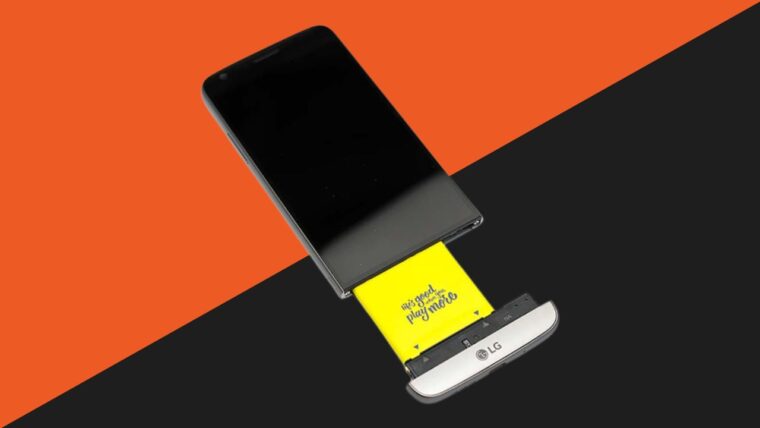
EU Requiring Smartphones To Have Removable Batteries | What Does This Mean for the Future of Tech?

Removable batteries in smartphones are coming back in EU. Let’s discuss its implications on future technology trends and it’s impact on sustainability.

Read More
asus rog ally vs steam deck

Asus ROG Ally vs Steam Deck: The Handheld PC Platform Is About To Be a Battlefield

What Happened to The iPhone Mini? Discontinued or on Hiatus?

Should You Update to iOS 16 Now? New Features and Issues So Far

MacBook air image
Gaming Laptop

4 Best 13-inch Laptops in 2023

Who could endure lugging around an 18-inch monster in the urban jungle? That’s why we’re recommending the best 13-inch laptops for 2023.

Read More

Best Laptops

laptop zoom meeting

5 Laptops With The Best Webcams

This guide helps you find laptops with the best webcams this 2023. Say goodbye to your pixelated zoom calls and livestreams!

Read More

laptops for low income families

4 Best Laptops in 2023 for Low Income Families

Looking for laptops for low income families in 2023? We’ve taken a look at the best laptops you can get at an affordable price. Check it out!

Read More

laptops for travel

The 4 Best Laptops for Your Travel Needs

What are the best laptops for travel, vacation, and working abroad? We’ve taken a look at the best laptops across budget ranges. Check out this list!

Read More

4 Best Laptops With Stylus Pen Models

Laptops with stylus pens have been a game changer for artists because of their touchscreen display. Not only is it a personal computer, it’s also a tablet!

Read More

laptops for Email building

The Best Laptops for Email Builders and Experts in 2023

What are the best laptops for email building, exploring the internet, and creating marketing campaigns? Check out this list for a quick guide!

Read More
laptop power bank

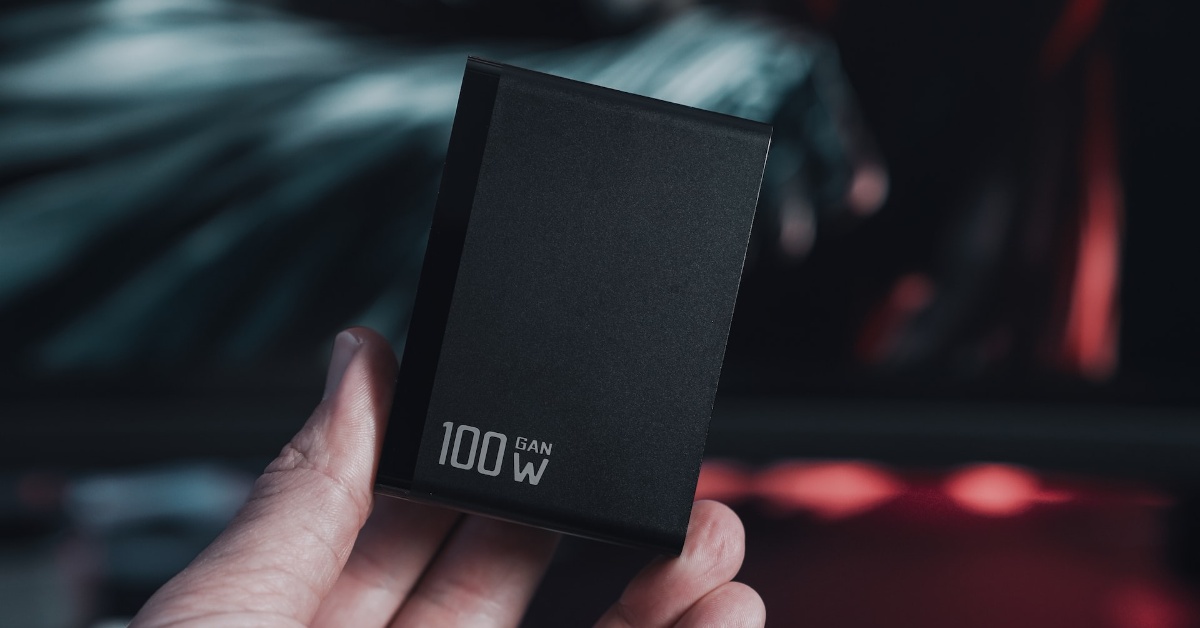
5 Best Laptop Power Banks for People on the Move

Instead of nesting near a Starbucks for power outlets during your “mobile work,” you could look into more freeing solutions, such as laptop power banks.

Read More

Primary Sidebar

Latest

White screen image

All Display Panel Types | Ranked From Worst To Best

Windows Update screen

How to Disable Automatic Updates in Windows: A Step-by-Step Guide

DLSS vs FSR

DLSS vs FSR: Which Upscaling Method Is Better?

rx-7800-xt blazing image

Is the AMD Radeon RX 7800 XT Worth It?

Categories

  • 2-in-1 Laptops
  • Buying Guides
  • Chromebooks
  • Gaming Consoles
  • Gaming Laptop
  • Gaming PC
  • Keyboards
  • Knowledge Hub
  • Laptop Accessories
  • Laptop Facts
  • Laptops
  • News
  • Reviews
  • Smartphones
  • Software

Tags

2-in-1 laptops 4k amd android apple budget laptops buying guide chromebook CPU Dell Featured gaming gaming laptop gaming laptops gaming mouse gaming PC Genshin Impact gpu graphics card intel iPhone keyboard keyboards laptop laptop accessories laptops mechanical keyboard mechanical keyboards memory monitor mouse Nvidia PC productivity RAM smartphones SSD steam deck storage tablets TV virtual reality vr wfhlaptop Windows

Copyright © 2025 · New Saga Media, LLC