
Most dark web search engines index a tiny sliver of what’s actually running on Tor. Tor Project metrics put daily users north of 2.5 million in 2026, but only about 6 to 7% of that traffic ever touches a hidden service. The rest is people using Tor the same way you’d use a VPN. So if you go in expecting a Google-style experience, you’re going to be disappointed fast, and probably click on something you shouldn’t.
Everything below explains why that’s the right order of operations, plus the stuff most guides never get into: which tools are quietly dead, how to actually check whether an onion link is real, and what a real investigation looks like when you follow it all the way through.
Verified Carding Markets for Cashouts
Verified accounts, real logs, and secure transfers - browse the categories most buyers trust on clear and darkweb.

What a Dark Web Search Engine Actually Does
Let’s clear something up first. A dark web search engine is a crawler and an index, scoped to .onion addresses reachable only through Tor (or, in a couple of cases, I2P) and other dark web browsers. That’s the whole job description. It’s not a portal. It’s not a directory of “safe” content. And it’s absolutely not proof that anything you find is real, current, or even still online by the time you click.
Why does it feel so much worse than Google? Because of how the network is built, not because the developers are lazy. Onion services don’t have to register anywhere. They don’t have to link to each other. Plenty of them rotate addresses every few months to dodge takedowns or DDoS attacks.
A recent onion-address study found that 38% of addresses were only ever advertised once, and roughly a quarter were mostly inactive by the time researchers checked back. A crawler can only find what someone has actually linked or manually submitted somewhere public. That caps the ceiling well below what a surface web engine can reach.
| Property | Surface web (Google, Bing) | Dark web search engines |
|---|---|---|
| Discovery method | Automated link-following at massive scale | Manual submission plus limited onion-to-onion crawling |
| Index freshness | Near real time | Frequently stale, addresses die between crawls |
| Ranking signal | Backlinks, engagement, authority | Recency, manual curation, or sometimes nothing at all |
| Content moderation | Automated plus policy enforcement | Anywhere from strict filtering to zero moderation |
| Typical index size | Tens of billions of pages | Low millions at best, often much less |
Keep that ceiling in your head as you search. If you come up empty, that’s usually the network’s limitation talking, not a failed query on your part.
Which Dark Web Search Engines Are Actually Alive Now
This is where most “top 10” roundups fall apart, because they get written once and never revisited. A few of the tools people still recommend have quietly gone dark or restricted access, and recommending a dead one wastes your time at best. At worst it teaches you to trust an onion address someone else could easily re-register with bad intent.
Live and actively maintained as of this year (still verify any onion address before you rely on it, see the section below):
- Ahmia. Filtered index, dual clearnet and onion access, backed by the Tor Project since 2014. It’s open source too, so you can actually go look at how it indexes things instead of taking that on faith.
- Torch. One of the oldest engines on the network, large and completely unfiltered.
- Tor66. Part search engine, part categorized directory. Verifies listings before adding them, which is more than most competitors do.
- DuckDuckGo (.onion). Worth a mention, but it’s not indexing hidden services. It’s a private clearnet search gateway you can reach over Tor.
- Haystak. Big index, free tier plus a paid tier with more advanced filtering.
- Fresh Onions. Open source, focused on technical metadata like uptime, keys, and server fingerprints rather than plain keyword search.
Expired and Restricted Dark Web Search Engines
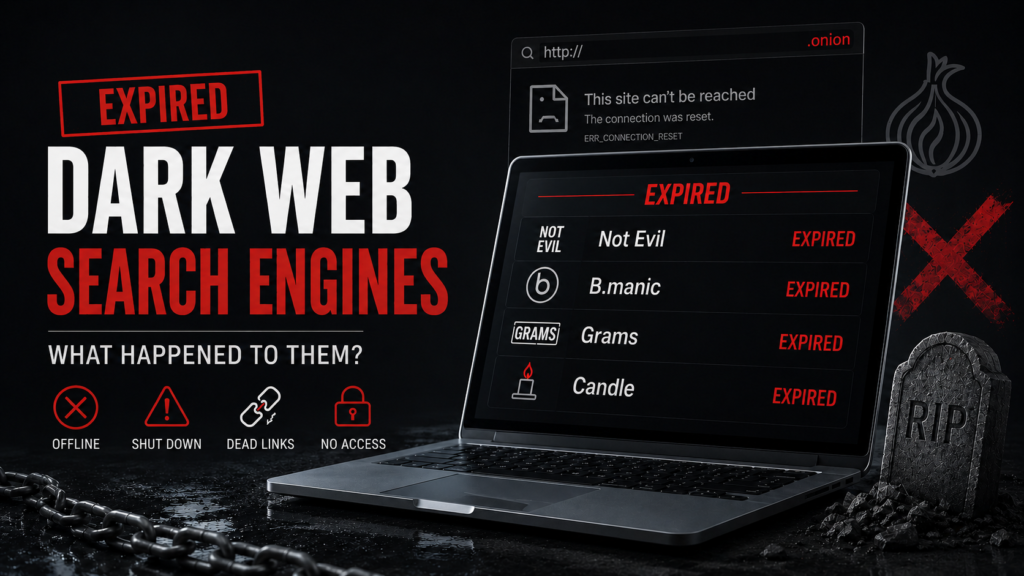
- DarkSearch. This one still shows up in “recommended” lists, but the free public API and web interface that made it useful were shut down. The operators now point people toward a separate commercial platform instead. If a guide is telling you to use DarkSearch’s free tier in 2026, it hasn’t been updated in a while.
- Hidden Wiki mirrors. Not dead exactly, but rotate constantly and get cloned by phishing operators on a regular basis. Treat any Hidden Wiki link as unverified until you’ve cross-checked it somewhere else.
Narrower or community-run tools worth knowing about:
- Not Evil. Community-flagged moderation, bare-bones interface, availability is hit or miss.
- DeepSearch. Open source, goes for precision over volume, so the index is smaller but noticeably cleaner.
- Excavator. No JavaScript at all, built for high-anonymity marketplace crawling. It’s also the least filtered option here, so treat it as an expert tool, not a starting point.
Direct Links (Cross-Checked, Not Just Copied From One Source)
Here’s where most guides get lazy. They copy one onion address from one old post and never touch it again. I checked each of these against multiple independent, currently active listings before including it, and I’ve marked my actual confidence level so you’re not trusting a random string blindly.
Quick reminder before you use any of these: .onion addresses only open in Tor Browser. Pasting one into Chrome or Safari does nothing. And copy-paste only, never retype one by hand.
| Tool | Clearnet link | Onion address | Confidence |
|---|---|---|---|
| Ahmia | ahmia.fi |
juhanurmihxlp77nkq76byazcldy2hlmovfu2epvl5ankdibsot4csyd.onion
|
High. Same address confirmed across multiple independent listings and Tor references. |
| Torch | torchsearch.net |
xmh57jrknzkhv6y3ls3ubitzfqnkrwxhopf5aygthi7d6rplyvk3noyd.onion
|
High. Consistent across independent sources. |
| DuckDuckGo | duckduckgo.com |
duckduckgogg42xjoc72x3sjasowoarfbgcmvfimaftt6twagswzczad.onion
|
High. Verified through DuckDuckGo documentation. |
| Tor66 | No confirmed clearnet mirror |
tor66sewebgixwhcqfnp5inzp5x5uohhdy3kvtnyfxc2e5mxiuh34iid.onion
|
Medium. Cross-check before relying on it. |
| DeepSearch | Has a clearnet portal, but URL varies by source. |
search7tdrcvri22rieiwgi5g46qnwsesvnubqav2xakhezv4hjzkkad.onion
|
Medium. Verify before treating it as canonical. |
| Haystak | None confirmed | Not listed here on purpose | Low. Sources disagree on the current address. |
| Not Evil | None | Rotates frequently | Low. Treat as unreliable until confirmed live. |
Notice what’s missing: Excavator and DarkSearch. Excavator’s addresses circulate mainly through unfiltered indexes with essentially no editorial vetting, and that’s exactly the kind of chain of trust I’m not going to hand you without a stronger source. DarkSearch is dead, covered above, no address needed.
If a tool isn’t listed here with a High confidence rating, don’t take my word for it or anyone else’s. Pull it up on Ahmia’s clearnet portal, search the tool’s name, and confirm what comes back before you navigate anywhere.
Read Also: How to Set Up Proxy Server Configurations: Enterprise & OS Guide
The Decision Framework Nobody Else Gives You
Feature tables tell you what a tool has. They don’t tell you when to actually reach for it. This is the framework I use:
| Your goal | First choice | Backup if it comes up empty | Why |
|---|---|---|---|
| Quick check: does our company show up anywhere on the dark web? | Ahmia | Tor66 | The filtered index cuts noise fast, and Tor66’s categories narrow things down if Ahmia misses it. |
| Full sweep ahead of a pentest report | Torch and Haystak together, cross-referenced | DeepSearch for a cleaner second look | Go broad first, then narrow. No single engine has full coverage, so don’t rely on one. |
| Investigating a specific marketplace or forum | Excavator (experts only) | Fresh Onions for infrastructure fingerprinting | Excavator handles anti-bot defenses better without JavaScript. Fresh Onions helps correlate server identifiers. |
| Checking whether a leaked credential claim is real | Manual navigation to a verified source | N/A | Search engines find claims. They don’t validate them. Verification is a separate process. |
| General anonymous browsing while on Tor | DuckDuckGo (.onion) | N/A | Not intended for indexing hidden services, but helps keep surface web searches private. |
The rule underneath all of it: filtered engines for reconnaissance, unfiltered engines when you need depth, and never treat one engine’s silence as proof something doesn’t exist.
How to Actually Verify an Onion Address
Every article says “verify the URL.” Almost none of them explain how. Here’s the process, step by step.
Never type a v3 onion address from memory. They’re 56 characters of what looks like random base32 text. One swapped character and you’re on a completely different service, possibly a malicious one. Copy and paste only, and only from a source you already trust.
Cross-check across at least two independent sources. If Ahmia and Tor66 both point to the same address for the same named service, that’s a real signal. Either one alone, less so.
Look for PGP-signed link lists where an operator provides one. Established forums and legitimate privacy projects often sign their canonical address with a key they’ve used consistently for a long time. If the signature doesn’t check out, don’t trust the address, no matter how official the surrounding page looks.
Watch for near-duplicate addresses. Because v3 addresses are derived from a cryptographic key instead of a chosen name, a convincing fake isn’t a one-character typo. It’s an entirely unrelated string sitting next to branding designed to look identical to the real thing. The fix isn’t “read carefully.” It’s “never trust branding over a verified address.”
Re-verify periodically. Marketplaces and forums move addresses after law enforcement action, DDoS attacks, or exit scams. An address that was correct three months ago might belong to someone else now, or to nobody at all. A recent onion-address study found roughly a quarter of tracked addresses were mostly inactive by the time researchers rechecked them. That churn is normal, not an exception.
This one step gets skipped in nearly every “how to browse the dark web” article out there, and it’s probably the single most useful habit for avoiding an actual incident.
Read also: Secret Methods Hackers Use to Break Into Bank Accounts
The Five Layers of OPSEC Beyond “Use Tor and a VPN”
Most guides squeeze operational security into one sentence. Here’s the version with actual layers.
Network isolation. Use a dedicated device or VM, never your daily driver. If you’re doing this professionally, a disposable VM you snapshot and revert after every session is the minimum. Qubes OS with Whonix templates is about as good as it gets: your Tor traffic runs in a gateway VM that has no idea what you’re doing, and your workstation VM has no direct network path that could leak your real IP even if something on it gets compromised.
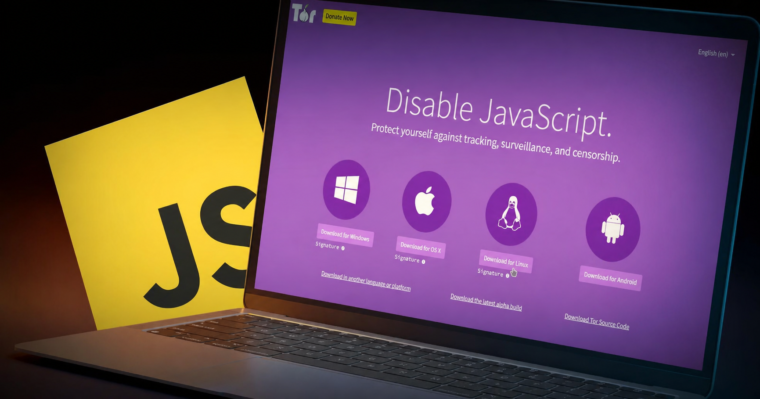
Browser configuration. Tor Browser’s Safest security level, every single time. This turns off JavaScript by default, which kills most of the exploit-delivery vectors used against dark web visitors. If a search engine’s interface won’t work without JavaScript (OnionLand is the clearest example), that’s your cue to use a different tool, not to loosen your settings.
Session hygiene. No persistent cookies, no saved logins, no browser extensions. Every extension you add makes your Tor fingerprint that much more unique and that much easier to correlate across sessions. Close and restart the browser between unrelated investigations instead of just navigating away.
Content handling. Never open a downloaded file on your investigation machine. If you need to pull something for evidence, drop it into an air-gapped or network-disabled sandbox first. PDFs and documents are a common vector for tracking beacons and exploits on hidden services, and that risk doesn’t go away just because you’re “only looking.”
Query discipline. Don’t search your own name, your organization’s internal project codenames, or anything that could tip off a forum operator watching their own search traffic to the purpose of your visit. Treat every query as potentially logged by the site you’re searching against, whatever the search engine itself claims about logging.
The AI Content Problem Nobody’s Covering Yet
This one’s genuinely new. Europol’s 2026 IOCTA report confirms what a lot of security teams already suspected: cybercriminals have adopted AI tooling aggressively, and industry trackers put AI involvement in dark web transactions somewhere around a third as of last year. That includes AI-written forum posts, fabricated leak listings, cloned-voice social engineering samples, and deepfake “proof” images attached to extortion claims.
A search engine has no way to flag any of that for you. Indexing and content authenticity verification are two completely different problems, solved by completely different tools.
The practical takeaway: if a search result turns up a claimed breach, a screenshot, or “proof of access,” treat it as unverified until you check it through a dedicated content-authenticity tool. Don’t take it at face value just because it sounds credible or the writing is polished. That matters most in extortion and initial-access-broker listings, where a fabricated sample is now cheaper to produce than a real one, and gets used constantly to inflate the credibility of a bluff.
Related: Carding 2026: The Rise of Mobile Wallet Fraud
Responding to a Credential Leak Alert
Many guides simply tell you to search for your company name on the dark web. In reality, verifying a leak takes more than that.
Imagine your monitoring tool alerts you to a file named “acmecorp_vpn_2026.txt” posted on a cybercrime forum.
Start by verifying the source. Instead of opening the alert’s link, search for the forum yourself using a trusted dark web search engine like Ahmia or Tor66. This helps confirm you’re visiting the legitimate site rather than a fake or outdated address. Find a list of the best dark web browsers for secure Tor browsing
Cross-check the address with your existing threat intelligence records. If the address has changed, investigate whether the forum has migrated or if something looks suspicious.
Next, inspect the post safely from an isolated environment such as a virtual machine using Tor Browser. Before downloading anything, review details like the posting date, the author’s reputation, and community responses. These often reveal whether the claim is credible.
If a sample is available, analyze it inside an offline sandbox. Check whether the data format matches your organization’s systems. Fake leaks often contain incorrect usernames, invalid domains, or unrealistic credential formats.
The final step is verification against your own systems. Never test leaked credentials on live services. Instead, compare them with authentication logs and password history using approved internal procedures.
Whether the leak is genuine or not, document your findings, record the verified source, and keep timestamps. If any credentials are confirmed, rotate them immediately and treat the remaining data as potentially compromised.
A dark web search engine helps you find potential threats, but careful verification is what separates a real security incident from a false alarm.
Frequently Asked Questions
No. Accessing Tor and running searches is legal in most places. What you do with what you find, such as buying something illegal or viewing prohibited material, is where legality changes. The search tool itself is neutral.
Historically, Haystak and Torch claim the largest indexes. However, “biggest” doesn’t always mean “most useful.” Large indexes often include dead links, mirrored sites, and duplicate pages alongside legitimate results.
Not meaningfully. Onion addresses only work through the Tor network. While a few search engines provide a clearnet search portal, you’ll still need Tor Browser to open any .onion website.
Only if you want to hide the fact that you’re using Tor from your ISP or if Tor is blocked on your network. Tor already anonymizes your traffic through multiple relays. A VPN simply changes who you trust with your connection.
Onion services frequently change addresses because of DDoS attacks, law enforcement activity, or voluntary migration after suspected compromise. Search indexes can become outdated quickly, which is why results often change over time.
The Bottom Line
No single dark web search engine gets you complete, current, safe coverage. That combination doesn’t exist on this network, full stop, and any guide claiming otherwise is oversimplifying. Build a workflow instead of picking a favorite tool: filtered engine first, unfiltered engine when you need depth, independent verification before you trust an address twice, and a properly isolated environment underneath all of it. That’s what actually keeps an investigation, or just a curious afternoon, from turning into an incident.
Verified Carding Markets for Cashouts
Verified accounts, real logs, and secure transfers - browse the categories most buyers trust on clear and darkweb.




Leave a Reply