
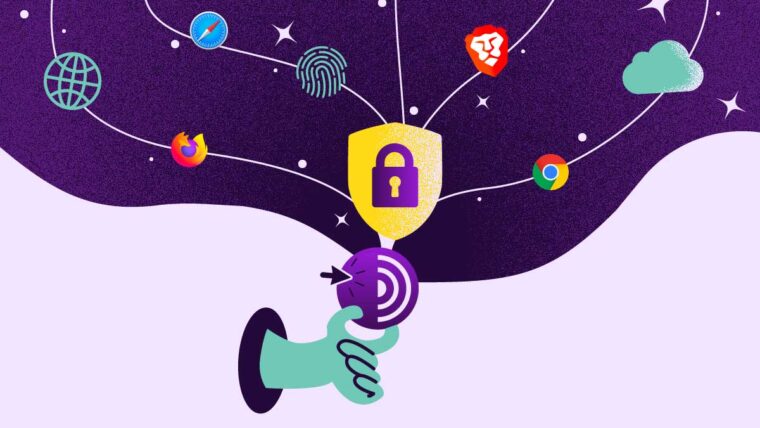
Your internet provider can already see that you are reading this page right now. If you are on public Wi-Fi, the person running that network can see it too. Tor Browser is the tool built to break that link between “who you are” and “what you look at” online. Most guides stop at the marketing pitch. This one goes further and shows you exactly how much protection you are really getting.
The quick answer Tor Browser is a free browser, based on Firefox, that sends your traffic through three volunteer run relays instead of connecting straight to a website. No single relay ever knows both who you are and where you are going. It is legal in most countries, it is slower than a VPN, and it works very well against your internet provider or a local network. It will not save you if you log into your own personal email while using it.
What Is Tor Browser, Exactly?
Tor stands for The Onion Router. It started in the mid 1990s as a project by the U.S. Naval Research Laboratory to protect government communication. The code became public in 2002, and a nonprofit group called the Tor Project has maintained it ever since.
Verified Carding Markets for Cashouts
Verified accounts, real logs, and secure transfers - browse the categories most buyers trust on clear and darkweb.

Today the Tor network runs on roughly 8,000 to 9,500 volunteer operated relays around the world. Daily users typically land somewhere between two and three million people. Tor Browser is the app most people mean when they say “Tor.” It is a modified version of Firefox that is already set up to send every request through the Tor network, and it already blocks a lot of the tracking tricks that normal browsers allow, like fingerprinting and third party cookies.
Related: Top Dark Web Markets and Carding Marketplaces
It helps to separate two things people often mix up: the Tor network itself and the dark web (the .onion sites some Tor connections lead to). Most Tor traffic never touches a hidden site at all. Research from PETS 2018 found that the large majority of Tor traffic simply exits to the normal, everyday internet. Someone using Tor to read blocked news is not really “on the dark web” in any meaningful sense.
How Does Tor Browser Work? Onion Routing Explained Simply
Think about the actual problem Tor is solving. You want to send a request where no single person in the chain can see both “who sent this” and “where it is going.” Onion routing solves this with layers of encryption and a three step path.
The three node circuit
- Guard node (entry node). This knows your real IP address. It does not know where your request is finally going.
- Middle node. This knows neither your IP address nor your final destination. Its only job is to break the link between the other two nodes.
- Exit node. This knows your final destination, the website. It does not know your real IP address.
Before your data leaves your device, it gets wrapped in three layers of encryption. Each relay removes exactly one layer. The guard node removes the outer layer and only learns where to send the data next. The middle node removes the next layer. The exit node removes the final layer and sends the plain request to the website. No single relay ever has both pieces of the puzzle. That is the whole idea behind Tor.
Why the guard node does not change every time
Here is something most guides skip. Tor keeps the same guard node for weeks at a time instead of picking a new one for every single connection. That may sound backwards. Wouldn’t more randomness be safer?
Actually, no. If your guard node changed constantly, an attacker running even a small number of bad relays would eventually get picked as your guard with high certainty, just by playing the odds over many sessions. This is called a guard discovery attack. Staying with one trusted guard for weeks actually lowers your long term risk, even though the middle and exit nodes still change often, usually about every ten minutes or with each new site you visit.
Where Tor’s protection actually breaks down
Every three hop system has one honest weak point, and most guides only mention it in one vague sentence. If the same attacker controls both your entry relay and your exit relay for the same connection, they can compare timing and data volume on both ends and figure out who you are, without ever breaking any encryption. This is called a traffic correlation attack.
For an average person, the odds of one attacker controlling both ends of a random connection are low. For someone being watched closely by a well-funded attacker, the odds are not zero. This is the real, technical reason people say “Tor is not perfect against powerful governments,” instead of just a vague warning.
Threat Model Chart: Who Does Tor Actually Protect You From?
Instead of a generic warning, here is a simple way to think about your own risk.
| Who might be watching you | Can they see your real IP? | Can they see the website you visit? | How strong is Tor’s protection? | What actually stops them |
|---|---|---|---|---|
| Your internet provider or school/work network | Yes, always | No | Strong | Encryption hides the content and destination |
| One bad exit relay | No | Yes, only if the site uses plain HTTP | Strong, if you use HTTPS | Using HTTPS on top of Tor |
| Ad networks and tracking cookies | No | Not relevant | Strong | Tor Browser blocks most trackers by default |
| A government blocking Tor in your country | Not relevant | Not relevant | Strong | Bridges and pluggable transports |
| One dishonest relay operator anywhere in your path | No | No | Strong | No single relay ever sees both ends |
| An attacker controlling both your entry and exit relay at once | Possibly | Possibly | Weak | Nothing on your side fully fixes this |
| A very powerful government watching internet traffic at a massive scale | Possibly | Possibly | Weak | No single tool fully solves this |
If your situation matches the top rows, Tor is genuinely strong protection. If it matches the bottom two rows, Tor should be one part of a much bigger safety plan, not your only tool.
Pluggable Transports: How Tor Works Even Where It Is Blocked
“Use a bridge” is common advice for people in countries that block Tor, but few articles explain what a bridge actually does.
Normal Tor relays are listed in a public directory. This means a government can simply download that list and block every address on it. Bridges are entry points that are not publicly listed, so a simple block does not catch them.
Related: Top 8 Best Dark Web Browsers Ranked for Real Anonymity
But an unlisted address is not always enough, especially in countries that inspect internet traffic closely, because the Tor connection itself has a pattern that can be detected. This is where pluggable transports come in. They disguise the traffic so it does not look like Tor at all.
- obfs4. Wraps Tor traffic so it looks like random noise, with no recognizable pattern.
- meek. Sends your Tor traffic through a large, well known cloud service’s domain, so blocking it means blocking huge parts of the internet too.
- Snowflake. Turns regular volunteers’ browsers into short term relays using the same technology behind video calls (WebRTC). On busy days, tens of thousands of people use Snowflake at once, with users in places like Russia and Iran among the biggest groups. To someone monitoring the network, Snowflake traffic looks like an ordinary video call, not like Tor.
If you live somewhere that blocks Tor, go into Settings, then Connection, and pick a bridge with a pluggable transport. Snowflake is a strong default choice in 2026. Simply downloading Tor Browser and hoping it connects is usually not enough.
Onion Services: Not Just for Browsing
Tor also lets you host a website anonymously, not just browse anonymously. A .onion address (56 characters in the current version) comes directly from a cryptographic key, not from a company or registrar. There is no domain name system involved and no central authority that can hand over your identity.
At any given time, there are usually between 700,000 and 900,000 unique .onion addresses active on the network. However, the number of these that are real, working, and regularly updated sites is much smaller, likely in the low thousands. Legitimate examples include major news organizations offering censorship resistant access, secure tip lines for whistleblowers, and privacy focused search engines and email providers.
If you are the one running a hidden site
Almost every guide is written only from the visitor’s side. If you are setting up your own onion service, here is what matters:
- Use Vanguards, a feature built into modern Tor that protects long running hidden sites from guard discovery attacks.
- Never run a hidden site on the same physical server as a normal, public website. Matching uptime and restart patterns between the two can expose you.
- Treat your .onion address as something you can replace. Since it comes from a cryptographic key and not a registered name, creating a new one is the right move if you think your server has been compromised.
- Turn off detailed error messages and status pages that reveal your server’s software or operating system.
Is Tor Browser Safe to Use?
Yes, for the risks most people actually face, like an internet provider, an advertiser, or someone on the same local network. The browser itself is open source, well reviewed, and built on Firefox with tracking protection turned on from the start. The underlying network design genuinely stops any single relay from linking you to your destination.
Read also: 7 Best Dark Web Search Engines with Verified Onion Links
Where it falls short is well documented. This includes traffic correlation attacks by a powerful attacker controlling both ends of your connection, and bad exit relays reading unencrypted (plain HTTP) traffic. But the biggest risk is usually the simplest one: logging into a personal account while using Tor, which instantly connects your real identity to that browsing session. Tor protects the network. It cannot protect you from your own choices.
Is Tor Browser Legal?
In most countries, including the United States, United Kingdom, Canada, and all EU countries, using Tor is completely legal. It is treated the same as any other privacy software. A small number of governments, including Iran, China, and Russia, block or restrict Tor, and getting around that block can carry legal risk in those places.
Tor itself is a neutral tool. What matters legally is what someone does once they are connected, just like with any other browser. Courts in several countries have specifically ruled that simply using Tor is not proof of wrongdoing.
Tor vs VPN vs I2P: Which One Should You Use?
Most guides only compare Tor to a VPN. That leaves out I2P, the other major anonymity network, which is built quite differently and fits different needs.
| Feature | Tor | VPN | I2P |
|---|---|---|---|
| How it routes traffic | Three hop onion routing through a shared pool of relays | One server run by a single company | Garlic routing with separate one-way tunnels for sending and receiving |
| Best used for | Anonymous access to normal websites, getting around censorship | Everyday privacy, unblocking content by region, protecting your whole device | Anonymous use of services built inside I2P itself, like mail or file sharing |
| Who you have to trust | Many different volunteer relay operators, none of whom sees the full path | One company | A shared pool of volunteer operators, similar in spirit to Tor |
| Speed | Slow, due to multiple hops | Fast, only one hop | Similar to or faster than Tor for services inside I2P, slower for reaching normal websites |
| Access to normal websites | Yes, through exit relays | Yes, by default | Limited, since I2P is built mainly for services that live inside I2P |
| Who runs it | Nonprofit, funded mostly by grants and donations | A private company | Fully volunteer run and decentralized |
In simple terms: use Tor when you want anonymous access to the regular internet or need to get around censorship. Use a VPN for everyday privacy and speed, if you are fine trusting one company. Use I2P when what you need actually lives inside that network, such as private messaging or file sharing built for I2P itself.
Should you use Tor and a VPN together?
Connecting to a VPN before opening Tor Browser hides the fact that you are using Tor from your internet provider, and it also hides your real IP address from the guard node. The downside is extra slowdown on a connection that is already slow, and you now have to trust your VPN provider’s privacy claims on top of trusting Tor. For most people, picking the one tool that matches your actual need works better than combining both by default.
How to Set Up Tor Browser the Right Way
- Download it only from torproject.org. Other websites and app store copies are a common source of malware, so always check the source first.
- Choose your connection method honestly. If Tor is not blocked in your country, the default “Connect” option is fine. If it is blocked, go into bridge settings before your first connection and choose a pluggable transport, starting with Snowflake and using obfs4 as a backup.
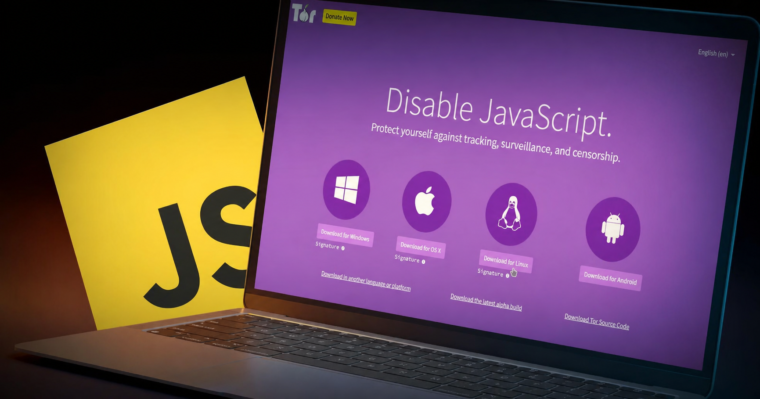
- Set your security level on purpose, not by default. Standard runs full JavaScript and works well for everyday browsing. Safer turns off JavaScript on sites that do not use HTTPS. Safest turns off JavaScript everywhere. This breaks many modern websites, but it is the right choice for anything sensitive.
- Never resize the browser window. Your screen size can be used to identify you. Tor Browser uses one standard window size on purpose, so resizing it actually makes you easier to track, not harder.
- Avoid installing extensions. Every extension is a possible way to identify or track you, and Tor Browser’s built in protection assumes a clean, unmodified setup.
- Check for HTTPS on any site that matters to you. An exit relay can read anything sent without encryption, so HTTPS keeps that last step protected as well.
- Use “New Identity” between separate sessions, not in the middle of one. It resets your connection and clears session data, so using it while you are still logged into a site can log you out unexpectedly.
Read also: Top 10 Dark Web Browsers for Secure Tor Browsing
Common Problems and How to Actually Fix Them
Tor will not connect at all. First check whether a firewall or antivirus program is quietly blocking it, since this is the most common cause. If your country blocks Tor’s public relay list, switch to a bridge with a pluggable transport instead of just trying again.
A website keeps blocking you or showing endless CAPTCHAs. Request a new circuit for that specific site. Many websites block individual exit relay addresses, and a new circuit usually puts you behind a different one. If one site, like your bank, keeps blocking you no matter what, it is usually better to use a different browser for that one task rather than trying to force it through Tor.
Everything feels painfully slow. This is simply how Tor works, not a bug. Three layers of encryption and routing add real delay. Closing tabs you are not using helps a little, since each site uses its own connection path. It will never be as fast as a normal browser or a single hop VPN, and that tradeoff is the price of stronger anonymity.
Antivirus software flags Tor Browser as dangerous. Add Tor Browser to your antivirus exclusion list instead of turning off your antivirus completely. Tor’s traffic pattern can look suspicious to some antivirus tools even though it is not actually harmful.
The Bottom Line
Tor Browser does one job extremely well. It breaks the link between your identity and the sites you visit for almost every realistic threat, using a design that has been publicly tested and reviewed for over twenty years. Tor is not faster than a VPN. It cannot protect you from your own login details. And against an attacker who can watch both ends of your connection at once, its protection gets weaker.
Know where your own situation fits in the threat model chart above, set it up on purpose instead of accepting every default, and Tor remains one of the strongest privacy tools ever made freely available to the public.
Network & privacy
Frequently Asked Questions About Tor Browser
Yes. Websites only ever see the exit relay’s IP address, never your real one. Your actual IP address is only known to the guard node, and the guard node has no idea where your traffic is finally going.
Technically yes, but it is not a good idea. The multiple hops make both very slow, and the Tor Project specifically advises against torrenting over Tor, since it slows the network down for everyone and can leak your real IP address through certain torrent app behaviors that bypass Tor entirely.
Yes, completely free. It is funded mainly through grants, research partners, and donations. Any service charging money for “Tor access” is not connected to the official Tor Project.
Yes. A normal Tor connection has a pattern that internet providers can detect, even though they cannot see the content or the destination. If even that is a concern for you, connecting through a pluggable transport like Snowflake or obfs4 hides the traffic pattern as well.
No. Most Tor traffic never touches a hidden site at all, and the .onion sites that do exist include mainstream news outlets, whistleblower tip lines, and privacy focused versions of normal services. Illegal activity does exist there, just as it does on the regular internet, but it is not the main use case.
Verified Carding Markets for Cashouts
Verified accounts, real logs, and secure transfers - browse the categories most buyers trust on clear and darkweb.


Leave a Reply